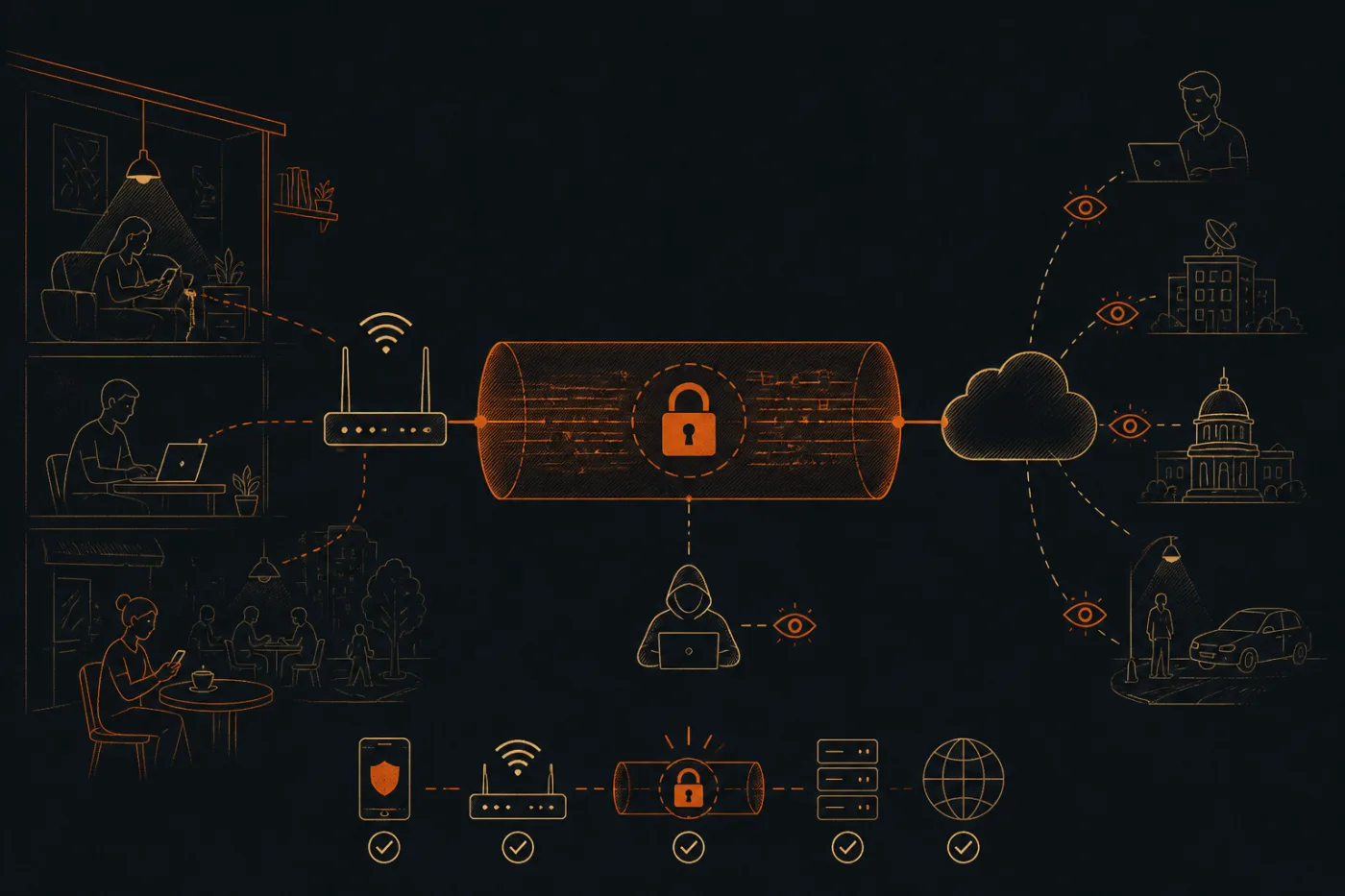
Two hops, two different situations
Think of the route as two hops. The first runs from your device to the server, and that is the hop the tunnel covers. The second runs from the server to the site you asked for.
On the first hop, the cafe router, your hostel owner or your mobile operator can see that you are talking to one server and how much data flows. They cannot read which pages you open. On the second hop, the website sees our server as the visitor, not your home connection.
Keeping the two hops apart in your head answers most "is it safe?" questions before they start.
What stays visible even with the tunnel on
- Your network still sees that a tunnel exists, the server it points to, and roughly when and how much you send.
- The website still sees everything you type into it and every account you log in to.
- Your device still runs whatever apps you installed, so a malicious app can read what it likes before anything is scrambled.
- A fake login page still looks like a login page. The tunnel does not judge the site at the other end.
- Your own habits, such as reusing one password everywhere, are outside the tunnel completely.
Where TLS and the key setup fit in
Most websites already use TLS, the layer behind the padlock. The standard for its current version, TLS 1.3, describes it as designed to prevent eavesdropping, tampering and message forgery between two programs. A VPN adds a second wrapper around that, so even the list of sites you contact is hidden from the local network.
Our service hands out a VLESS subscription link through the Telegram bot. VLESS is the way the connection is described to the client app, and a security layer on top of it does the actual scrambling. Ciphers are not something you choose yourself. Load the link into one of the client apps (Happ, Hiddify, V2Box or v2rayNG) and press connect.
A check you can run yourself
Open a page that shows your public address, and note what it says before you connect.
Connect in your client, reload the same page, and confirm the address is now different and belongs to one of the server cities.
Switch the tunnel on and run a DNS test. The resolver listed should not be your operator's.
Open any ordinary site and confirm the padlock is still there, since the tunnel and the site's own TLS work side by side.
Disconnect and confirm the address returns to the first one, so you know which state you are in.
Choosing a setup: what to look for
Whatever service you pick, look for a protocol that is documented in public, a client app you can read about independently, and a clear statement of what the provider stores. A service that talks only about "military" strength and never about how the link works is giving you nothing to check.
Why trust a seller's checklist? You need not: the points above are criteria you can test without us, and they apply to any provider, ours included. Servers are in Stockholm, Zurich, Osaka, Rotterdam and Singapore, and none are in India.
Where to go next
If you want the step-by-step journey of a single request through the tunnel, the page on how a VPN works follows one request from your screen to the website and back. If you want to set up a client, the protocols section covers v2rayNG and the others.
Countries treat VPNs differently and keep revising their rules, so look up yours; what you open through the tunnel remains your responsibility. The first pass of the wording came from an AI tool; before publication a person on our side went through the page line by line against the live VPN setup.